5:00PM UPDATE: 8/31/2026 – Microsoft 365 Service Advisory

Microsoft continues to work on resolving the global service issue affecting Outlook and other Microsoft 365 services. Corrective actions have been implemented and are being expanded across affected systems to help restore service for impacted users.

As these changes take effect, users may begin to see gradual improvements in email, Outlook, and other Microsoft 365 functionality. While service is recovering, some users may continue to experience intermittent issues until restoration efforts are fully completed.

Microsoft is closely monitoring the recovery process and evaluating whether any additional actions are needed to ensure full service restoration. At this time, an estimated resolution time has not been provided.

We will continue to share updates as more information becomes available. Thank you for your patience and understanding.

Donors & Scholars Celebration

Flyer featuring event details.

Join us for a special evening celebrating the remarkable achievements of our 2026–2027 scholarship recipients and honoring our generous donors and supporters whose commitment drives academic equity, excellence, and opportunity.

Enjoy dinner and dessert, hear from a special guest speaker, and mingle with the donors and scholars whose support and hard work changes lives.

  • When: Thursday, September 24 (5:00-7:00 pm)
  • Where: Shoreline College, Maple Student Union Building 9000, Main Dining Room

Please RSVP by September 10.

8/31/2026 – Microsoft 365 Service Advisory

Beginning Monday morning, August 31, Microsoft reported a global service issue affecting Outlook and other Microsoft 365 applications and services. Microsoft is aware of the issue and is actively working to restore full functionality.

Users may experience a range of intermittent issues, including:

  • Delays, failures, or incomplete results when searching Exchange Online mailboxes
  • Delays or failures when sending or receiving email messages
  • Authentication errors when accessing Exchange Online services
  • Difficulties accessing or performing actions within Exchange administration tools
  • Intermittent disruptions affecting mailbox operations and message delivery

We are actively monitoring the situation and will provide additional updates as more information becomes available.

Thank you for your patience and understanding as Microsoft works to resolve this issue.

Campus Updates 8/26/2026

Hello all, I hope you are doing well.   

Another busy week in the president’s office – sorry to keep repeating the same stuff, but the summer is a lot of prep for the fall with policies, budget, etc. One great opportunity this week was an all-day retreat led by Dr. Michael Benitez. The focus was on bridging gaps between the executive team and operation leadership team and how we can work together through our strategic plan and focus on equity gaps, specifically with men of color who are disproportionately underrepresented at the college and in retention and completion.  I learned a lot and am ready to make some improvements as well.   

Oh yes, we also did some Jimothy bonding! 

President Kahn, VP Aiello, Dr. Benitez, and VP Ramos.

I am out for the next couple weeks on vacation though will do some remote work as needed of course.  Be well! 


Executive Team (ET) Open Office Time 


The Executive Team (ET) is now scheduling and holding virtual open office time via Microsoft Bookings:  

Executive Team (ET) Open Office Time.  


Committee Updates 


Enrollments 

Fall 2026 Daily Enrollment Tracking Report (DENTR) 


Business Administration  

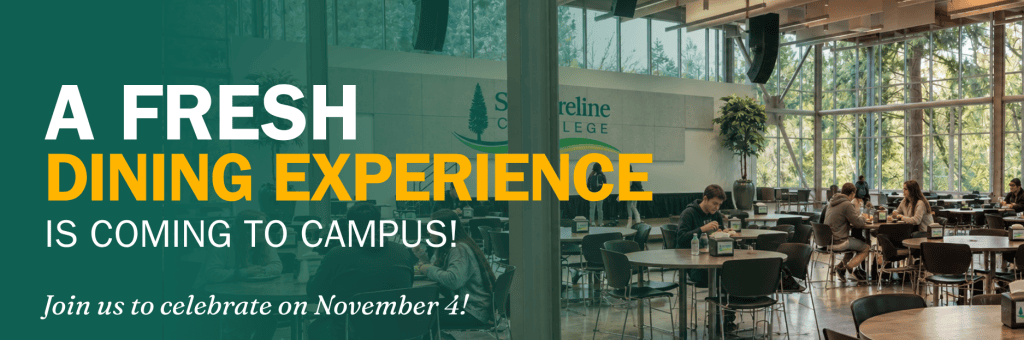
Cafeteria and Catering Services Update 

The critical work to clean, repair, and certify the kitchen storage, preparation, and cooking equipment continues with our Facilities and the Upper Crust Food Service teams.  Due to the age and 8-year dormancy of the kitchen, much of the equipment needs significant repairs to get them operational, for example, fire suppression systems, commercial kitchen dishwasher / sanitizer, and, most notably, the walk-in coolers and freezers that are not working at this time. 

King County Health Department (KCHD) will not issue the operating license until this and other work is completed. We are procuring cost estimates in accordance with WA State laws and rules before we can begin work. It will take two to three weeks before this critical equipment is repaired, replaced, and certified.  While we are on target for a Fall quarter opening, we are unsure if KCHD operating license and hot food service operations will be in place on the first day of the Fall quarter, September 23rd.  

Additional updates will be shared via this “Campus Updates” email in the coming weeks.  Stay tuned for more… 


Technology Support Services (TSS) 

Action Required: Email MFA Option Being Retired October 26, 2026 

Hello Campus Community, 

To align our authentication methods with current security best practices and strengthen the overall security of the ctcLink environment, the SBCTC will be making a change to the way Multi-Factor Authentication (MFA) is used with ctcLink. 

Beginning Monday, October 26, 2026, the Email option will no longer be available as a Multi-Factor Authentication (MFA) method within ctcLink. 

Why is this changing? 

As part of a systemwide security initiative across Washington’s community and technical colleges, Email is being removed as an MFA option because email accounts can be vulnerable to phishing, password reuse, and other forms of compromise. Removing Email as an authentication factor helps reduce security risks and encourages the use of stronger, more secure methods. 

Recommended MFA options include: 

  • Authenticator Apps (Google, Okta Verify, Microsoft) 
  • Security keys (such as YubiKeys) 

What do I need to do? 

Prior to October 26, 2026, please verify your selected MFA options in ctcLink. If you are already using an MFA method other than Email, no additional action is required at this time. 

If Email is currently your only MFA method, you will be prompted to choose and enroll in another MFA option the next time you log in after October 26, 2026. We encourage you to update your MFA settings before that date to avoid any login interruptions when accessing ctcLink services. 

Need Help? 

Instructions for setting up and managing MFA options are available through the ctcLink Reference Center: 

Employees: HCM Employee Self Service Okta – Multi-Factor Authentication – select Setting Up Your Multi-Factor Recovery Options 

Students: Student Self Service Okta – Multi-Factor Authentication – select Setting Up Your Multi-Factor Recovery Options 

Questions? 

If you need assistance updating your MFA settings or have questions about this change, please contact TSS by visiting https://support.shoreline.edu

Thank you for helping us maintain a secure and reliable technology environment for our college community. 


Foundation/Advancement/Alumni 

SAVE THE DATE – November 6, 11:30 AM 

Registration is now open for this year’s Shoreline College Foundation Giving Table Luncheon! We hope you’ll join us for this free lunch event on November 6 to raise funds, opportunities, and hope for Shoreline students. As an important part of the college community, your participation matters. We highly encourage you to attend, give a gift, and invite your friends and networks to join you in supporting our students. 

So far this year, the Foundation has awarded more than $360,000 in scholarships to students. The generosity of the community, and the staff and faculty at Shoreline College, have also given the Foundation opportunities to provide emergency funding for students, assist with academic program support, and build new and exciting partnerships throughout the community. Next year we hope to be able to do a lot more to give our students everything they need to be successful. Join us at the luncheon in November and be part of this inspiring celebration. 


Human Resources 

Updates 

  • Benefits (benefits@shoreline.edu) and Payroll (payroll@shoreline.edu) are now LIVE in the Shoreline support system! Please continue to email Payroll and Benefits as you have in the past; your email will generate a ticket for tracking and consistency.  

Payroll Reminders 

  • Leave Reports are due:  Friday, 08/28/26 at noon (employee) and 5pm (supervisor)  
  • Timesheets are due: Monday, 08/31/26 at noon (employee) and 5pm (supervisor) 

Welcome to Shoreline College! 

New Faculty Joining Shoreline This Fall: 

  • Christian Benitez: Ford Automotive Tenure-Track Faculty 
  • Andrew Jorgenson: Mathematics Tenure-Track Faculty 
  • Mark Keith: GST Automotive Tenure-Track Faculty 
  • Rita Quinones de Magalhaes: Biology / Environmental Sciences Tenure-Track Faculty 

Current Job Postings!  Please share with your professional networks. 

Director of Automotive Programs – Professional Automotive Training Center 

Program Specialist 2 – Benefits Hub – Office of yehaw 

Vice President of People, Culture, and Retention – Human Resources 

Do you know someone who wants to join our team? Visit: Job Opportunities at Shoreline Community College.  

Updates from DAAG 


Follow Shoreline College on social media! 


Shoreline College MISSION – Our Purpose 

Shoreline College offers accessible, high-quality education and workforce training that empowers students for success. Rooted in our commitment to diversity, equity, and community engagement, we foster an educational environment that contributes to the enrichment of both our local and global communities

Generative AI and Microsoft Copilot Training for Faculty and Staff

Shoreline College is participating in the Generative AI and Microsoft Copilot Training for Faculty and Staff series on Thursday, September 17, and you’re invited to participate.

Through this training series, Microsoft and Black Dog Black Cat will provide practical, hands-on learning opportunities to help participants build AI literacy, strengthen prompting skills, and apply Microsoft Copilot to real-world educational and workplace scenarios. Each session combines demonstrations, guided activities, and discussion to help participants confidently apply AI tools in their work.

The training series consists of three sessions: a foundational session for all participants, followed by role-specific sessions for faculty and staff. Participants will attend two sessions: the foundational session and the role-specific session that best aligns with their position.

  • Session 1: Introduction to Generative AI and Microsoft Copilot for Faculty and Staff101 – 1:00-2:00pm 
  • Session 2a: Generative AI and Microsoft Copilot for Community and Technical College Faculty: 102 – 2:15-3:15pm
  • Session 2b: Generative AI and Microsoft Copilot for Community and Technical College Staff: 102- 3:30-4:30pm

All sessions will be delivered in-person and include opportunities for hands-on practice and discussion.

  • Session 1: Introduction to Generative AI and Microsoft Copilot (101): This foundational session introduces the fundamentals of Generative AI and Microsoft Copilot. Participants will explore responsible AI use, effective prompting techniques, and practical applications for academic and administrative work.
  • Session 2: Generative AI and Microsoft Copilot for Community College Faculty (102): Designed for faculty, this session focuses on applying Copilot to teaching and learning. Participants will explore lesson planning, instructional design, discipline-specific use cases, and strategies for evaluating AI-generated content.
  • Session 3: Generative AI and Microsoft Copilot for Community College Staff (102): Designed for staff, this session explores how Copilot can support workplace productivity, communication, planning, decision-making, and administrative workflows across higher education departments.

Action: To participate in the Generative AI and Microsoft Copilot Training for Faculty and Staff series, please complete the online interest form. We will confirm and register you for the event by 9/11.