The recent Internet Explorer security errors can now be patched. Before using Internet Explorer, please check for updates on your computer.
To Install Windows Updates on Windows 7:
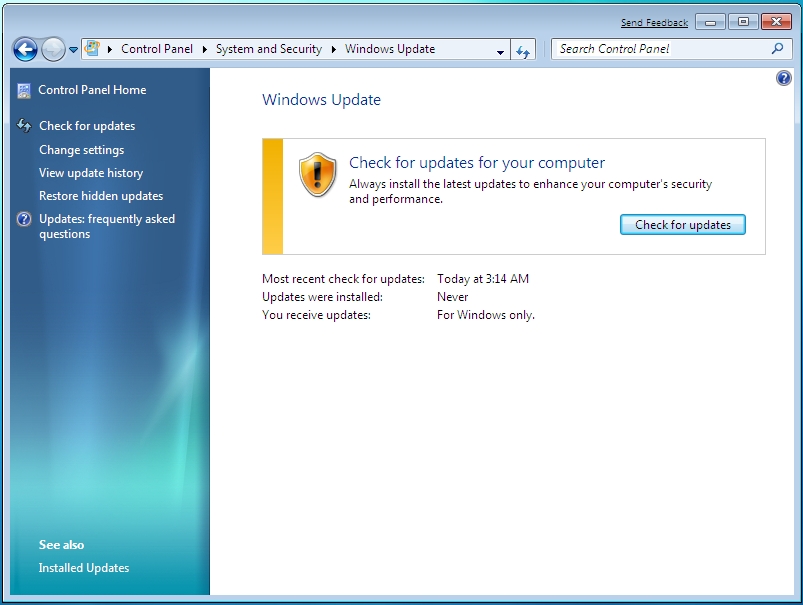
- Open Windows Update by clicking the Start button
 . In the search box, type Update, and then, in the list of results, click Windows Update.
 -
In the left pane, click Check for updates, and then wait while Windows looks for the latest updates for your computer.
-
If you see a message telling you that important updates are available, or telling you to review important updates, click the message to view and select the important updates to install.
-
In the list, click the important updates for more information. Select the check boxes for any updates that you want to install, and then click OK.
-
Click Install updates.
Read and accept the license terms, and then click Finish if the update requires it.
 If you’re prompted for an administrator password or confirmation, type the password or provide confirmation.
http://windows.microsoft.com/en-us/windows7/install-windows-updates
To check for updates on Windows 8:
- Go to the Start Screen and type Windows Update Settings.
- From the list Select Windows Update.
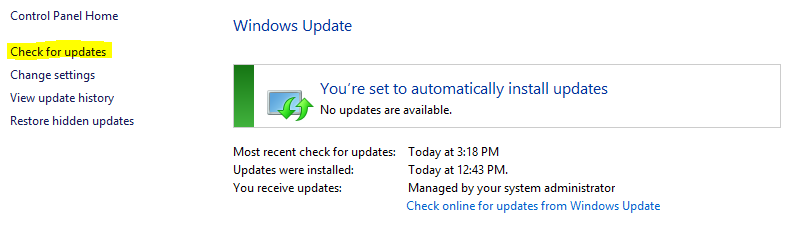
- Click Check for Updates from the list on the left.
Thank you!

 Day at a Glance
Leave a comment