Mandatory migration to Windows 10

Over the past year, Technology Support Services has afforded the opportunity for faculty and staff to upgrade their systems to Windows 10. Now, during the summer quarter and through summer break, Technology Support Services will be requiring all Windows 7 and 8 systems to be upgraded to Windows 10. The majority of this will be completed during the evening and weekend time periods during summer quarter to minimize any disruption to normal operations. By start of fall quarter, all systems on campus will be Windows 10.

TSS strongly encourages everyone to upgrade their office computers at their earliest possible convenience. There is still time to complete this process on your own schedule. Before you depart for the day, open Software Center and choose the option “Windows 10 1703 upgrade” and complete the few clicks to start the process. The next morning your system will be running Windows 10 and you will no longer have to worry about the required installation during the summer periods. While you are at it, go ahead and upgrade to Office 2016 afterward.

Should you have any questions, comments, or concerns, or simply wish a little assistance getting started, please let TSS know and we will be more than happy to assist.
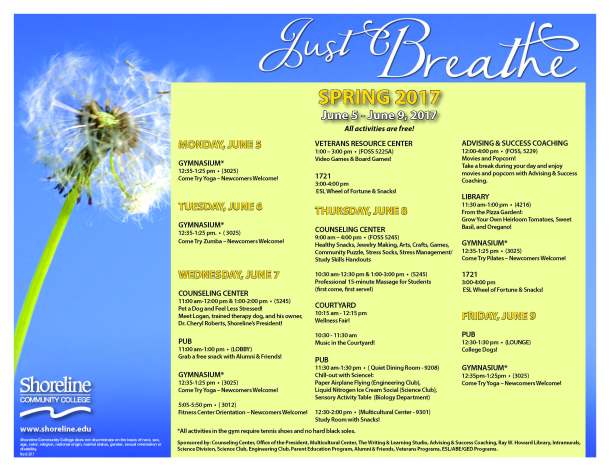
BREATHE before finals events on campus June 5-9

It’s time for BREATHE again! Staff and faculty are welcome to join in the BREATHE festivities June 5 – 9.

Have you ever been on campus and thought to yourself – “I wish I could….”
• Try out Pilates
• Play video games at the Veterans’ Resource Center
• Eat a snack
• Make jewelry
• Watch a movie
• Learn how to make a paper airplane
• Try Zumba! or yoga
• Snuggle with a therapy dog
• Go to a Liquid Nitrogen Ice Cream Social
• Make a pizza garden
• Play a board game
• Make your own stress sock
• ….OR, just chill out???

If so – keep reading!

Check out our quarterly pre-funk to finals week – BREATHE. This quarter BREATHE events begin Mon., June 5 and wrap up on Fri., June 9 with our main event happening Thurs., June 8 (events across campus – AND make sure you stop by the Counseling Center – FOSS 5245 – for free food, crafts, and more)!

Students often report high levels of stress before finals, which can negatively impact their academic performance as well as their physical and mental health. BREATHE aims to reduce student stress as well as connect students to their Shoreline community. These efforts assist our students in attaining their academic and personal goals.

For more information contact Sheryl Copeland at the Counseling Center | scopeland@shoreline.edu.

breathespring2017

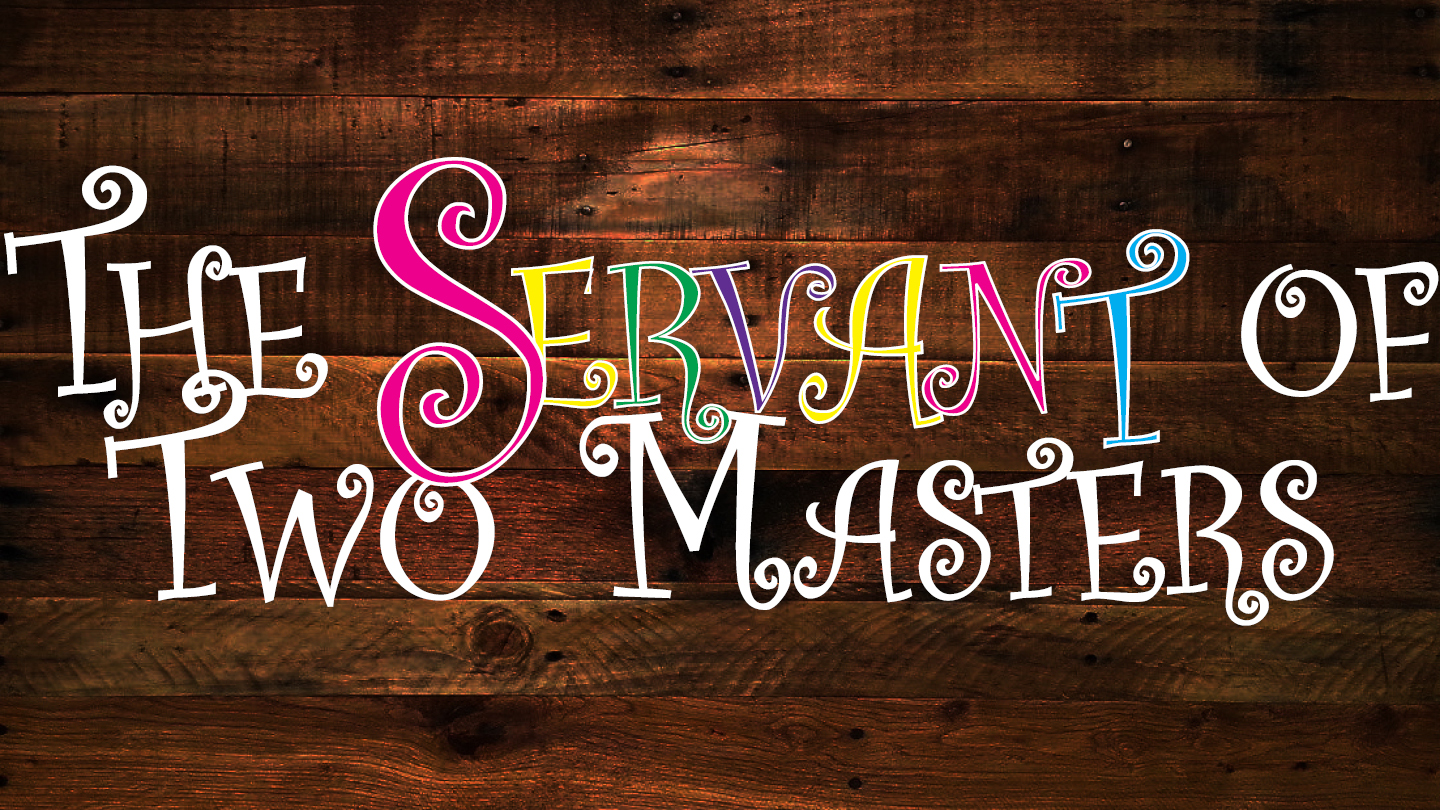
The Servant of Two Masters opens this Thurs., June 8


A Servant of Two Masters, written by Carlo Goldoni in 1743, was an attempt at reviving Comedia dell’arte by scripting the dialogue and still leaving room for improvisation. The play focuses on a simple-minded character named Truffaldino, who brings trouble on himself when he attempts to care for two masters at once without either finding out.

Tickets at Brown Paper Tickets or at the door. 
Shows are June 8, 9, and 10 and June 15, 16, and 17 at 7:30 p.m.

General Admission – $15
Non-SCC students, Senior, Faculty, and Staff – $12
Shoreline Community College Students & students 15 and under  – $9

Shoreline Community College Theater
1600 Bldg. / Theater Lobby
16101 Greenwood Ave. N
Shoreline, WA  98133

Manufacturing Open House Tues., June 6

The Manufacturing department is holding an open house this Tues., June 6 from 2-5 p.m. in the 2500 building. This is a great event to see student work, tour the manufacturing shop, and learn more about a career in advanced manufacturing. Enjoy food, drinks, and giveaways. Live machining demonstrations and robot and 3D printing demonstrations. Student and employer speakers at 3:30 pm.
2017 Open House Flyer_Page_1

Mandatory weekly reboot of Windows computers begins this Sat., June 3

Beginning Sat., June 3, TSS will remotely reboot all Windows computers every week. TSS deploys patches to all computers but they are not completely installed until the computer reboots. Many user computers are not regularly rebooted, which creates a security risk for the campus. All computer users will need to make sure files and applications are closed before leaving work for the weekend each week. Computers will be rebooted every Saturday morning at 5:00 AM. Contact the TSS helpdesk at tss@shoreline.edu or Ext. 5872 if you have any questions or concerns.