Technology Support Services Introduces a New “Help Desk” System Called Zendesk

In an effort to support the goals of SCC through facilitating innovation, growth and ease of use, we are excited to introduce a more streamlined way to request help from the Technology Service Support (TSS) Department.

It is called “ZENDESK.”

Many of you are already beginning to use this program and we are excited with the results.

In your internet browser, go to http://help.shoreline.edu. This will bring you to the log in screen that looks like this image below:
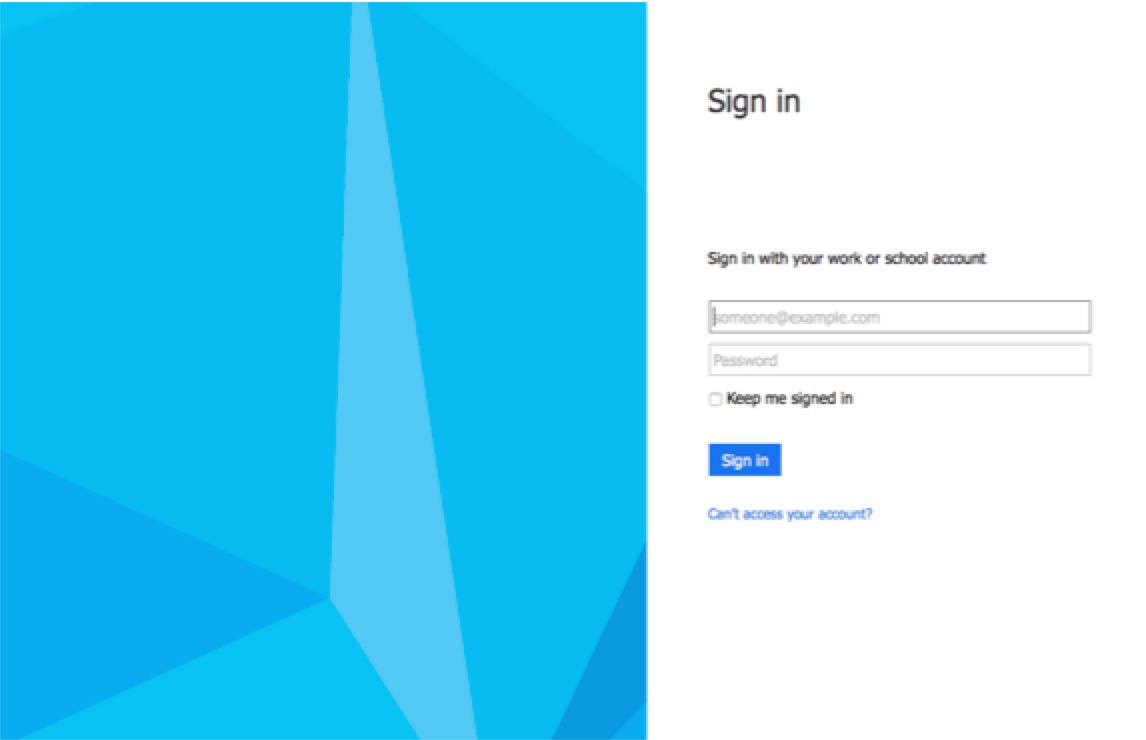
Screen Shot 2015-01-30 at 4.44.04 PM

Just sign in with your shoreline.edu email address and password. You will come to a screen where you can submit a request in a format that looks like the one below:
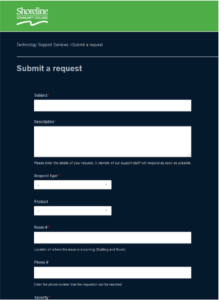
Screen Shot 2015-01-30 at 4.46.26 PM

This portal will keep you abreast of the status of your ticket, will enable our technicians to request additional information if necessary and will allow TSS staff to collaborate more efficiently to resolve your requests or issues. It will also give the TSS department a way to track and report on metrics and trends to allow us to be proactive and improve on the high level of customer service we already provide.

Implementing this system is currently still in development but it is our hope that this system will be a more helpful and efficient way to service the needs of Shoreline Community College as well as enable us to streamline our work flow.

You may begin using the new Zendesk system for all your technology needs as the old Work Order system is being retired.   The email address for Zendesk is: support@shoreline.zendesk.com

The Helpline Phone number at 206-546-5872 will still be in service, but we encourage you to please submit a ticket and refer to that ticket when calling the Helpline number.

Any questions? Please don’t hesitate to ask.

Thanks, Your Technology Support Services Team

Office 365 ProPlus available for faculty & staff

Faculty and staff now have access the same Office 365 ProPlus benefit as their students.

Extending the Office 365 ProPlus benefit to faculty and staff ensures that teachers are using the latest versions of Office and the same feature set as their students. It will allow teachers to install full Office on up to five personally-owned PCs or Macs. It also gives them access to all their Office documents both at school and at home. With Office 365 ProPlus teachers can take advantage of great Office apps and add-ins like Office Mix to record and publish class lectures.

Benefits of this include:

  • Free Office Pro Plus 2013or Office Mac 2011 to install on up to 5 compatible PCs or Macs
  • Microsoft Office Online which includes WordExcelPowerPoint, and OneNote
  • Microsoft Office Mobile apps enablement on up to 5 tablets including iPad, iPhone, and Android
  • Create, save, edit, & store documents in the cloud with OneDrive for Business

To install Microsoft Office on your personal computer:

Announcing Student Advantage

Office 365 provides students with cloud-based productivity tools that help them to communicate and collaborate more efficiently, access assignments in shared workspaces, have their notes synchronized in OneNote and the ability to use familiar applications such as Word, PowerPoint, and Excel anywhere, anytime and across virtually any device.

For more information see: shoreline.edu/tss/office365

——————————————–

Technology Support Services
Shoreline Community College

tss@shoreline.edu  | (206) 546-5872

TSS tip for Faculty – Using New Websites and Software

Shoreline faculty, are you introducing new curriculum for Winter quarter that references new websites?

Technology Support Services (TSS) recommends that you check if the site relies on pop-ups, which are usually blocked by on-campus computers. For example, take Galaxy Crash for Astronomy. When you click on the applets tab, it says a Java plug-in is required so that part doesn’t work.

Remember, not all websites you find on your home computer, will work flawlessly on the secured, filtered college computers. Testing in advance here on campus is recommended.

Also if you have a new software program you’d like students to have access to, it needs to be looked at by TSS. We need time to test by launching the program, resolving any issues that come up, and making sure things are fully functioning on our computers available for students.

If your program (or website) is one you’d like to have available on the computers in the student lab (4102) and the library computers, we need a minimum of 2 weeks notice to complete all the installment requirements and testing to be able to accommodate this kind of request. Please email the help line at tss@shoreline.edu with all the details of your site or software.

TSS does its best to get you taken care of as fast as possible. The more advance warning you can give us, the better for everyone. Thanks!

Submitted by Deann Larsen
Computer Lab Manager
4102 Student Computer Lab

Information Technology Commission Meeting

Shoreline Community College will be hosting the Fall Information Technology Commission Meeting December 11-12 in the PUB Quiet Dining Room.

Replacing old data wiring

On Monday, Dec. 15, there will be a communications cabling crew working in the 1200 building and in the 5000 building. They will be replacing the old Cat3 data wiring with Cat6 wiring. There are 12 locations in the 1200 building. Most of the work in the 5000 building will be done on the second floor 5200 west. There are a limited amount of cable runs that will be done on the third floor.

If you have any questions please email Jim Miller at jrmiller@shoreline.edu