Computer Lab software updates coming!!!!

Computer Lab software updates coming!!!!

Please mark your calendars for updates coming to the Instructional Computer Labs.

Spring Quarter: 
  • Laptops with Windows 8.1; Office 2013
    • 4214 (Library Classroom)

Summer Quarter: 
  • Labs with Windows 8.1; Office 2013
    • 1302
    • 1308

Fall Quarter: 
  • Remaining Instructional Labs move to Windows 8.1; Office 2013
    • 1301
    • 1304
    • 1305
    • 1401
    • 4102
    • Library Reference

All Division labs will be updated as needed.

Please let TSS know if you have any questions.
Creating Simple Graphs

Put the graph paper and rulers away! Here are some links for how to create graphs that can easily be saved, printed, and embedded into reports.

How to create a simple graph in Excel

Excel is an excellent tool that will allow you to quickly create a chart. Use Excel especially if you want to have variety of chart types–bar, pie, line, scatter, and more. Add all the standard chart features like titles and axis labels so that the chart looks professional and presentable.

It has been years since I’ve used a graphing calculator, and I found Desmos to be a great alternative to trying to remember how to graph on a graphing calculator. It’s simplicity is not restricting though–it seems to have all the same functionality of a complex graphing calculator.

A Cleaner Browser Experience

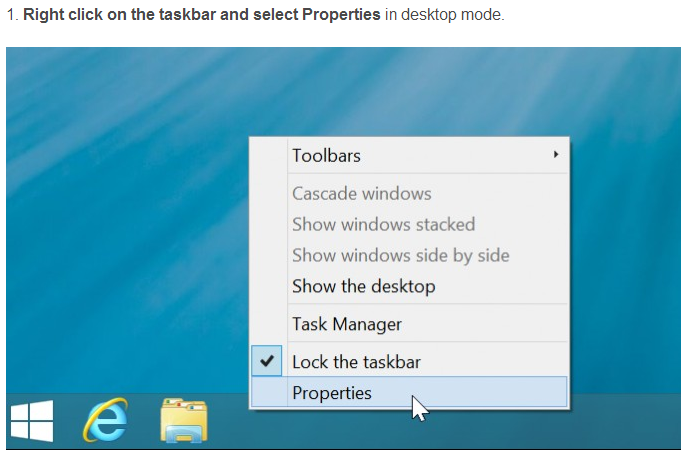
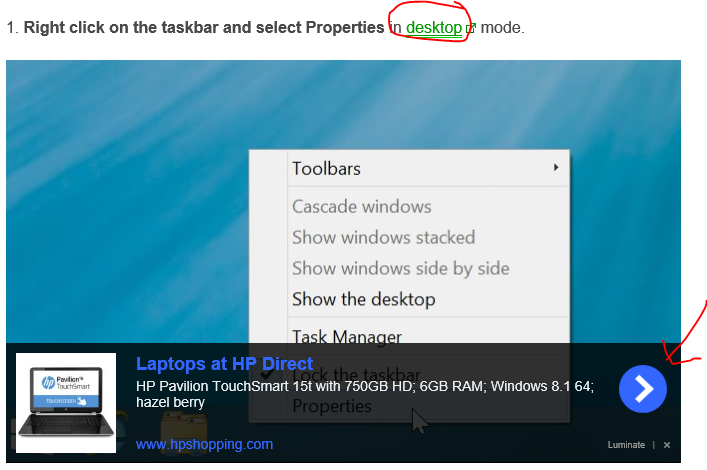
To complement my post about removing unwanted toolbars from browsers, you can also clean up your viewing experience by installing Adblock Plus. Let’s look at an example. I recently provided link to http://blog.laptopmag.com/boot-to-desktop-windows-8-1-preview.

Here is a snippet of what the website looks like without Adblock:

Here is a snippet of what the website looks like with Adblock:
There’s some controversy over Adblock. Although Adblock might not be perfect, I prefer the second option which allows me to see the picture clearly.

End of Support for Windows XP

Microsoft is ending all support for the Windows XP operating system on April 8, 2014.  This means that Microsoft will no longer provide operating system updates, known as patches, to correct flaws in the operating system.  The implications are that security vulnerabilities discovered in the XP operating system after April 8, 2014 will remain unpatched.  TSS has been systematically upgrading XP machines over the past year in order to meet the Microsoft deadline.  It is strongly recommended that anyone still using XP on their personal home computer or laptop upgrade to either Windows 7 or Windows 8.1 before April 8, 2014.

Getting Familiar with Windows 8.1

Change can be tough, but change keeps us moving forward. Across the Shoreline campus, faculty, staff, and students will start to see Windows 8.1 replacing older versions of Windows. For those of you who are hesitant about learning this new system, I understand because I was hesitant too. Take a deep breath, set aside time for a couple of tutorials, and soon enough, you won’t even miss Windows 7.

Here are some links to help you familiarize yourself Windows 8.1:

How to Enable Boot to Desktop in Windows 8.1 – This trick will certainly take the edge off of learning Windows 8 by providing a little comfort in familiarity.

Become familiar with the new Start Menu – The new Start Menu is intended to make your life easier, but that’s only true if you take the time to set it up. Learn to Pin Apps and Applications to the Start Menu.

Don’t get confused by the Apps – “Apps” are a new concept that do not act like “Applications.” Trust me, it pays to understand how they work whether you intend to use them or not. For one thing, there is an App and an Application for Internet Explorer and you might find yourself lost in the unfamiliar App.

Check out more of Microsoft tutorials