Firefox Updates has New Features

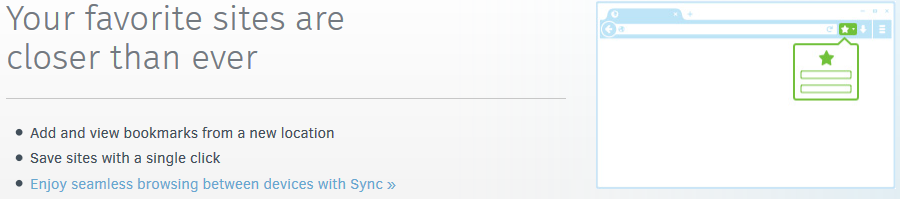
Computers across campus have received or will soon receive an updated version of Firefox. The new version will feel a little bit different for users. To quickly become acclimated to the updates, take the time to read through the tutorial that automatically launches when the new version first launches. Here’s a visual recap:


Firefox29-1

Firefox29-2

Firefox29-3

Firefox29-4

Firefox29-5

Click to fast that first time? Here’s a link: Firefox 29 Updates
Email Spam: Additional information

Shoreline Community College is no longer using Google’s Postini service to filter email. This change was a result of work needed to prepare for moving email to Exchange Online as part of the deployment of Office 365.

Just like Postini, email that is suspected as spam is quarantined and an email is sent daily with information of the quarantined items. There is not yet a website to manage the quarantine. Email that is blatantly spam is deleted, just as was done with Postini. The current spam filtering appears to be allowing a bit more spam through than did Postini. TSS is continuing to refine the system and investigate the best setup. It’s a learning process and we are very appreciative of your patience.

Faculty/Staff Email Moving to the Cloud

TSS is in the process of updating @shoreline.edu email accounts from an on-premise system to one that is cloud based. For the staff of TSS, this will alleviate having to manage physical servers. For faculty and staff, email will likely continue to be what everyone knows and loves, but there might be some slight changes along the way.

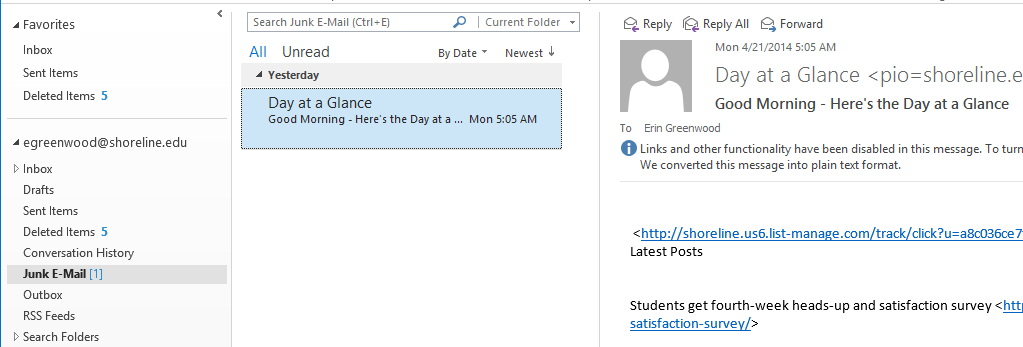
Yesterday we notified users that postini had been disabled. As a result, today users might have seen some messages filtered into Junk E-mail. Below is a real-life example: Today I found that the Day At A Glance email message went to the Junk E-mail folder.

JunkEmail


Here is what you can do to correct messages that have inaccurately gone to the Junk folder.

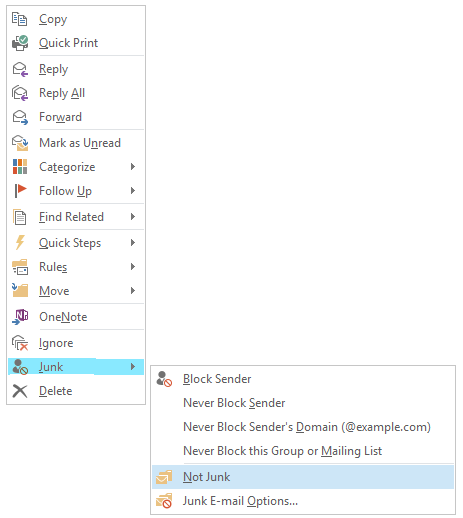
  • Right Click on the Message that is not Junk. The following menu is displayed:

NOTJunk

  • From the menu, hover on “Junk” and then click “Not Junk”
  • The message will be moved back into the usual folder–the Inbox or to another folder if a rule is in place.
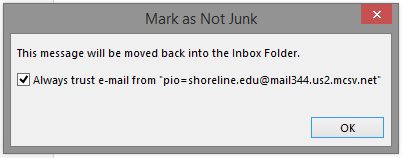
  • Outlook will provide an option for similar messages to skip the Junk folder in the future:

mark as not junk

Faculty & Staff Email Update

Faculty and staff with @shoreline.edu email accounts will have access to Office 365, SharePoint, and Exchange Online (not yet, but it’s coming!). In preparation for these services, it was necessary to disable Postini today in order to implement a different tool. Email service will continue without disruption of service.

TSS will keep you notified of any important changes as the conversion to these services continues.

Notice for Mac Users accessing Email through Outlook 2011

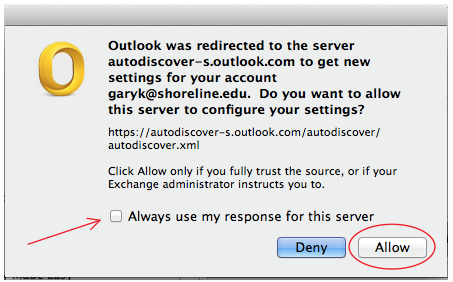
Mac users using Outlook 2011 may see the following dialog. This is expected.

Check the box “Always use my response for this server” and click Allow.

McOutlook