Sign Up for the SCC Sustainability Challenge!

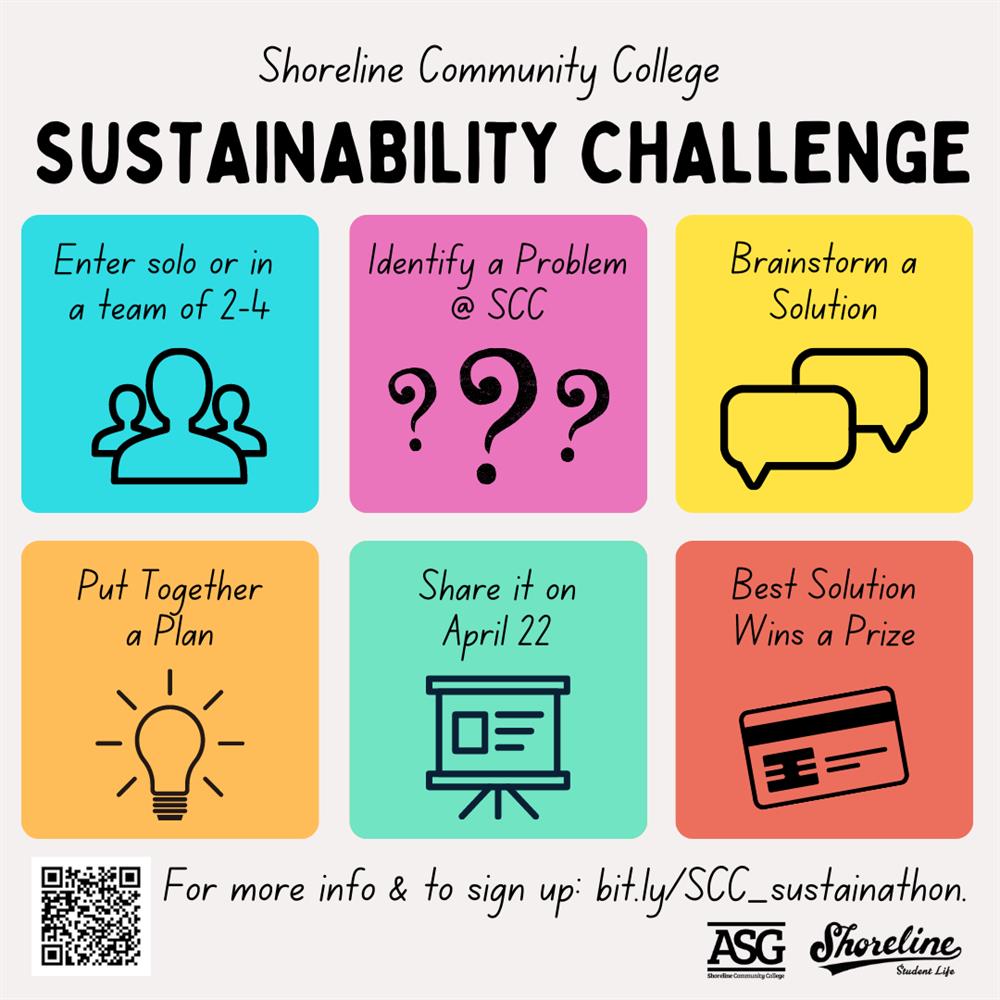
All students are invited to participate in the inaugural SCC Sustainability Challenge! Individuals and teams of up to 4 people are invited to sign up to address a sustainability-related challenge on campus for a chance at fame, glory, and an exciting prize! Registration closes on March 25 and teams will receive guidelines the following week. Participants will share their results with a panel of judges on Friday, April 22 (Earth Day!) from 4-6pm. To sign up, go to https://bit.ly/SCC_sustainathon.
Presidential Recruitment – Update

Dear Colleagues,

The College has successfully completed 2nd round interviews with the finalists identified for consideration as Shoreline’s next President. Thanks to all of you who attended the constituency group open forums, with a special thanks to those who also submitted feedback.

In addition to the constituency group open forum activities last week, the Presidential finalists also completed separate interviews with the executive team and Board of Trustees respectively. The Board has received all open forum feedback submitted along with screening committee and executive team observed strengths/weaknesses summaries. The Board of Trustees are scheduled to meet again next Wednesday, March 2 at 3:30pm to convene in Executive Session for the evaluation of a potential public employee (the next President). As a reminder, the Board of Trustees will announce and vote on the finalist identified for the job offer of Shoreline’s next president in a public meeting, potentially as soon as the upcoming March 2nd meeting.

Questions regarding the information above can be directed to vzura@shoreline.edu at any time.

Shoreline is coming to you!

Spring quarter at Shoreline Community College begins on April 4th. Between February 14 – March 13 you can join us at one of the local events below to learn about our programs, ask questions, and get help completing your application on the spot! 

Public Libraries. Stop by and speak with a Shoreline representative at the following locations:

 High Schools. Students and staff can stop by to meet with a member of the SCC Outreach Team:

  • Shorewood High School at the Career Center: Every Tuesday from 10:30am – 1:00pm
  • Shorecrest High School at the Career Center: Every Thursday from 10:30am – 1:00pm 
  • Other high schools: Please contact Amy Stapleton at astapleton@shoreline.edu or (206) 546-7841 

Virtual Support. Can’t meet us in person? No problem! We’re happy to help you online at one of our virtual events: 

Additional appointments can be scheduled by emailing connect@shoreline.edu or by phone at (206) 546-7841.

Day 1: Common Access Questions in ctcLink

Hi Everyone,

We are off and running with ctcLink!  We have already gotten some very good questions thus far and wanted to share the most common in case you or anyone on your team have questions after you activate your account…

If you missed the popup box that contained your new ctclink ID during the account activation, but the system says your account is activated, you can use our ctcLink ID look up tool to look it up using your old SID.

My profile details are wrong / missing. What should I do?

You can review and update your personal information using the Personal Details tile in Employee Self Service. This includes information such as:

  • Address
  • Contact details
  • Preferred Name

**Please ensure your Emergency Contact information is correct**

I work for multiple colleges. Why can’t I see Shoreline info?

This is a common issue for folks who have already set up their preferences with another college.

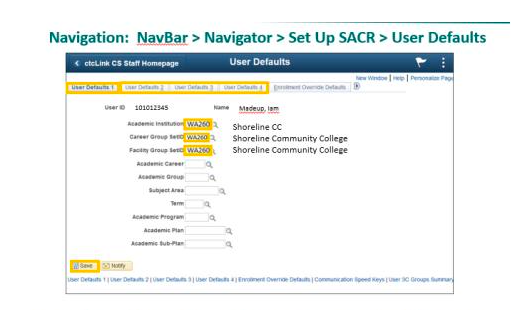
Campus Solution users can set up their Shoreline preferences using these User Defaults instructions: https://ctclinkreferencecenter.ctclink.us/m/79784/l/1302449-9-2-campus-solutions-user-defaults

I’ve clicked on the HCM tab, but I don’t see my Time Tile. What do I do?

Please use Live Chat and the Drop-in Zoom sessions to discuss with our support team. They may ask you to submit a ticket via support@shoreline.edu.

Permissions – Dude, where’s my screen?

Please troubleshoot your access issues:
Talk to co-workers to compare access
Check out articles in Technical Support Center
Use Live Chat and Drop-in Zoom sessions

Once confirmed missing access to screens/tasks in ctcLink
Please work with your supervisor and ask them to submit a request via Security Change Request Form.  Include as much info as possible including Navigation path and other info discovered in troubleshooting such as coworker with access

If you still have questions, please…

Contact Technical Support at https://support.shoreline.edu/hc/en-us. Use the chat feature to get real-time support.

Show Your SCC Pride on Phin Wednesdays!

PHIN WEDNESDAYS ARE BACK! Stop by the PUB Courtyard on Wednesday, March 2 from 11am-1pm and get some SCC swag and a Bookstore coupon to use on your next purchase! And show off your SCC spirit EVERY Wednesday by wearing Shoreline colors!

Don’t forget to support the men’s and women’s basketball teams on Saturday, March 5 at the SCC Gym when they taken on Edmonds Community College. The women kick off the action at 2pm followed by the men at 4pm.